 GenModelHub
Hotel Lobby AI Video Without Higgsfield: 5 Ways to Make It (2026)
Updated 2026-10-18
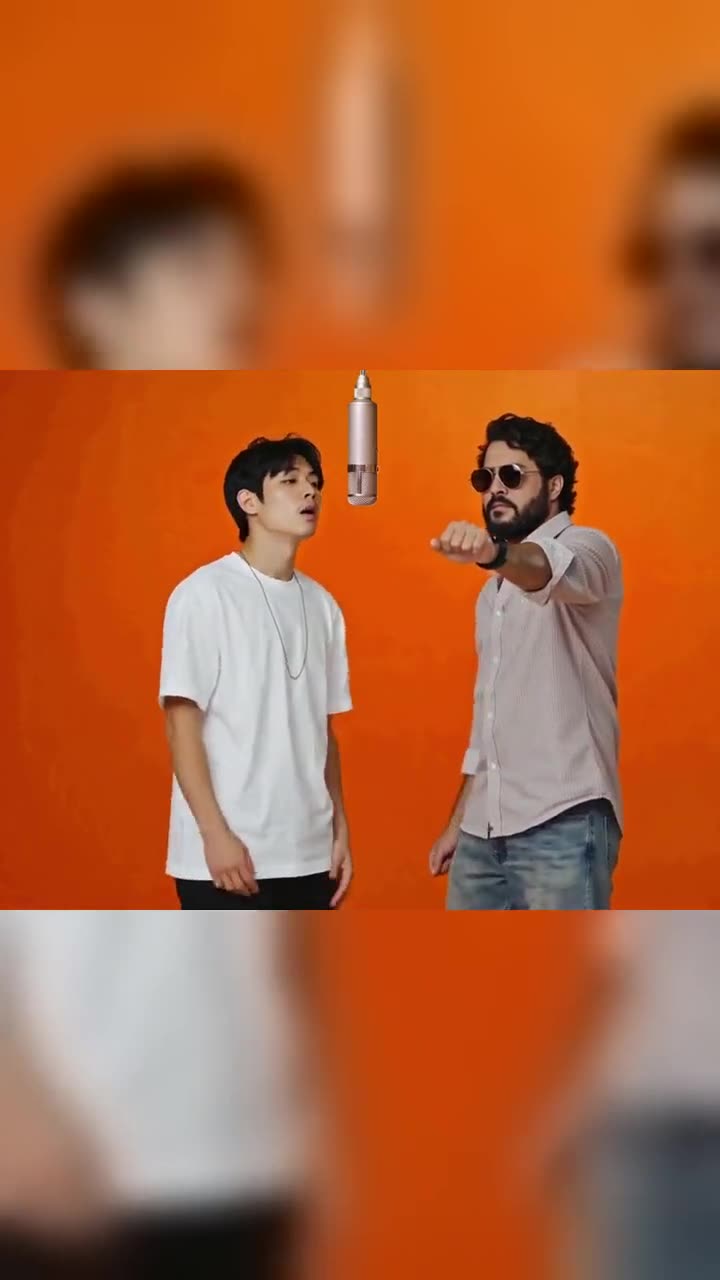
Making the Hotel Lobby AI video without Higgsfield means using any other tool that puts new performers into the orange-booth duet, and there are three kinds: browser tools and template apps that take two photos, general video models where you write the prompt, and other motion-transfer or swap tools that need a source clip. GenModelHub is a browser tool of the first kind: two photos in, the original Hotel Lobby moves out, $8.99 per video. GenModelHub is not affiliated with Higgsfield, Quavo, Takeoff, COLORS, TikTok or any other brand named below.
How to make it with GenModelHub (3 steps)
- Open the generator and pick the effect. Go to the Hotel Lobby AI generator in your phone browser. There is no app and no source video to find; the original Hotel Lobby performance is built in.
- Upload two photos and press the button. Tap the left box and the right box, add one photo in each, then tap "Make our orange booth battle". Your two replace the performers; every rap, hand move, cut and camera angle of the original stays. It takes a few minutes.
- Download, add the sound, post. Save the 15-second clip, add the trending "Hotel Lobby" sound inside TikTok or Instagram, and switch on the AI-generated label.
Which photos to use
- Two photos: one person or pet in each. The left photo becomes the left performer, the right photo the right one. A single photo of two people is not accepted as input.
- Standing, knee-up or full body, facing the camera. Arms and legs matter because the performers rap and dance.
- The person fills about two thirds of the photo's height. Not a tiny figure far away, not a face-only close-up.
- No sunglasses, masks or beauty filters. The face you upload is the face you get.
- Good light. Daylight or an even indoor light; the background does not matter much because the orange studio is rebuilt.
- Pets, toys and cartoon characters are fine. An animal stays that animal and keeps its fur.
- Refused or not allowed: nudity, children, ID documents, celebrities, and anyone's photo without their consent.
- JPG, PNG or WebP, up to 10 MB.
A good photo: a friend standing in a doorway in daylight, full body, looking at the camera. A bad photo: a dark close-up selfie with sunglasses and a filter.
What you get, and what it costs
A 15-second vertical 9:16 MP4 with no sound, ready for TikTok, Instagram Reels and YouTube Shorts, in a few minutes. One video is $8.99, one-time, no subscription, shown on the button before you generate. If a generation fails, the credits come back automatically. You can watch example clips on the generator page before paying, and the same tool is reachable from the Higgsfield Hotel Lobby page.
Why it doesn't look right: fixes
| Problem | Fix |
|---|---|
| Faces look mismatched | Use two photos with similar distance and light |
| A face looks soft | Replace it with a sharper, front-facing photo without filters |
| The wrong person raps first | Swap the boxes: left photo = left performer |
| Hands or legs cut off | Use knee-up or full-body photos, not face crops |
| Two people in one photo | Crop to one person per photo, or take a new photo |
| No sound in the clip | Expected; add the "Hotel Lobby" sound inside TikTok or Instagram |
Why people want an alternative to Higgsfield
Most early how-to guides for the trend used Higgsfield's Genjutsu tool. Higgsfield announced Genjutsu on 31 August 2026 with two modes: Motion Transfer, which applies the movement of a source video to a new character or scene, and Object Swap, which replaces one element and keeps the rest of the footage (Higgsfield blog). Higgsfield states the source clip must be 4 to 30 seconds, and a 15-second result costs 40 credits (about $2.00) at 480p, 104 credits (about $5.20) at 720p or 144 credits (about $7.20) at 1080p, though "credit costs may vary by generation settings".
That is a capable route, but it asks for a source clip of the original performance, reference images and a prompt that tags which image replaces which performer. Free accounts also carry a visible mark: Higgsfield's help center says "on a free account, every generation carries a Higgsfield watermark" (help center). If you want fewer steps, no account or a different price model, these are the alternatives.
The ways to make it without Higgsfield
1. A browser tool with the original moves built in (GenModelHub)
Described above: two photos, no source clip, $8.99 per video, no sound. The result copies the original performance move for move.
2. Other two-photo template tools
Several sites sell the same idea: upload a left and a right photo and get a Hotel Lobby clip. A comparison published on 30 September 2026 by toolworthy.ai (source) lists these, with details as stated there (rules and prices can change):
- Make Hotel Lobby (makehotellobby.com): $9.99 for one video, $19.99 for three; account-free purchases; a 16-second 9:16 MP4.
- VibeAha (vibeaha.com): 280 credits for 480p, 630 credits for 720p; an account is required; a 10-second 9:16 MP4 with no sound.
- Starrd: 100 credits (about $5 according to its own guide); new accounts get 20 welcome credits, which do not cover one video. No subscription, credits do not expire.
- Ausar (ausar.ai): runs a "Swapping Characters" recipe on a fixed reference video; the credit cost was still showing as calculating when inspected.
- Fuzana: 20 credits for a five-second clip; a free account gets 15 credits.
3. Subscription video apps with a template
Summrs AI was the tool named in The Tab's 25 September 2026 explainer of the trend: open the template, create a free account, upload photos of the two people, and save the generated video (The Tab). Toolworthy lists plans from $15 per month for 300 credits, top-ups from $5 for 50 credits, and 50 signup credits, without establishing how many credits one Hotel Lobby video uses.
Renoise accepts one photo of both people or one per person, and says its first clip is free, watermarked and silent, 480p and 4 seconds by default; paid plans start at $20 per month and include watermark-free exports (renoise.ai).
4. General video models where you write the prompt
Dreamina (CapCut) documents a Seedance 2.5 workflow: upload two separate photos, paste a full prompt, choose 9:16 and check that faces do not merge. Its plans run from Basic at $1.50 for the first month, then $15 per month; each paid plan removes the Dreamina watermark (Dreamina). Kapwing describes a longer chain: a character sheet per person, a motion reference, a Seedance 2.5 generation (about 415 Kapwing credits for 15 seconds) and then a template edit (Kapwing). Here you control more, but the result is an interpretation of the trend, not the original moves.
5. Other motion-transfer or swap tools
Video-swap editors work like Genjutsu: you provide a short source video you have the right to edit, describe which reference photo replaces which person, check the credit quote and generate. Videotok's guide to this route says plainly that "a reliable one-click two-person Hotel Lobby preset has not been verified" (Videotok), so expect to test. Starrd's guide adds that dedicated motion-control tools are built for one subject and often struggle with duos.
Background: the trend and the original
The orange booth comes from the COLORS studio performance of "Hotel Lobby" by Unc & Phew, the duo name Quavo and Takeoff used for the song released on 20 May 2022. According to Starrd's guide, COLORS posted the performance in June 2022, and that guide counts more than 428,000 TikTok videos on the sound. The AI version went viral in late September 2026; The Tab described users inserting themselves, characters and animals into the video on 25 September. Our own longer explainers: the Higgsfield Hotel Lobby route and the Migos AI trend.
Comparison table
| Way | Input | Result | Time | Cost | Limits |
|---|---|---|---|---|---|
| GenModelHub | Two photos | 15 s, 9:16, original moves, no sound | A few minutes | $8.99 per video, no subscription | Two photos needed; no celebrities or children |
| Make Hotel Lobby | Two photos | 16 s, 9:16 MP4 | Email when ready | $9.99 one video | As listed by toolworthy.ai |
| Renoise | One shared photo or two | Short clip, 4 s default | Minutes | First clip free (watermark), plans from $20/month | Free clip is silent and watermarked |
| Dreamina Seedance 2.5 | Two photos plus your prompt | Prompted clip | Minutes | From $15/month (first-month offers) | You write and fix the prompt |
| Higgsfield Genjutsu | Source clip plus references | Close copy of the source | Longer setup | 40 to 144 credits per 15 s | Source clip needed; free-account watermark |
Which one should you pick?
Choose the route by what you already have. If you have two photos and want the original moves without any editing, a two-photo template tool is the shortest path, and the main differences are price model (one-time pack versus subscription), whether an account is required and whether the clip is watermarked. If you want to direct the scene yourself, a general video model like Dreamina is more flexible but takes more attempts. If you have a source clip and want frame-accurate control, a motion-transfer tool such as Genjutsu is built for exactly that. Whichever you use, post it with the platform's AI label and add the sound inside the app.
FAQ
Can I make the Hotel Lobby AI video without Higgsfield? Yes. Two-photo tools such as GenModelHub, Make Hotel Lobby or VibeAha, general models such as Dreamina's Seedance 2.5, and other swap editors all produce it. Pick by price model and how much setup you want.
Do I need a source video without Higgsfield? No, not for the two-photo tools. They include the original performance, so you only upload two photos. Motion-transfer tools do need a source clip.
Which photos work best? Two separate photos, one person or pet in each, standing, knee-up or full body, facing the camera in good light with no sunglasses or filters. Photos of children, celebrities or ID documents are refused.
How long does it take and what does it cost on GenModelHub? It takes a few minutes and costs $8.99 per video, one-time with no subscription. The price shows on the button before you generate and failed generations are refunded automatically.
Are my photos stored? Photos are used to make your video; the site's privacy policy in the footer explains retention. Only upload photos of people who agreed.
Start here: Hotel Lobby AI generator.
Try the Hotel Lobby AI Generator
No app needed: two photos in, the original Hotel Lobby moves out – every rap, hand move and cut, with your two people – straight from your phone browser.
Generate a video